Aurora Solar
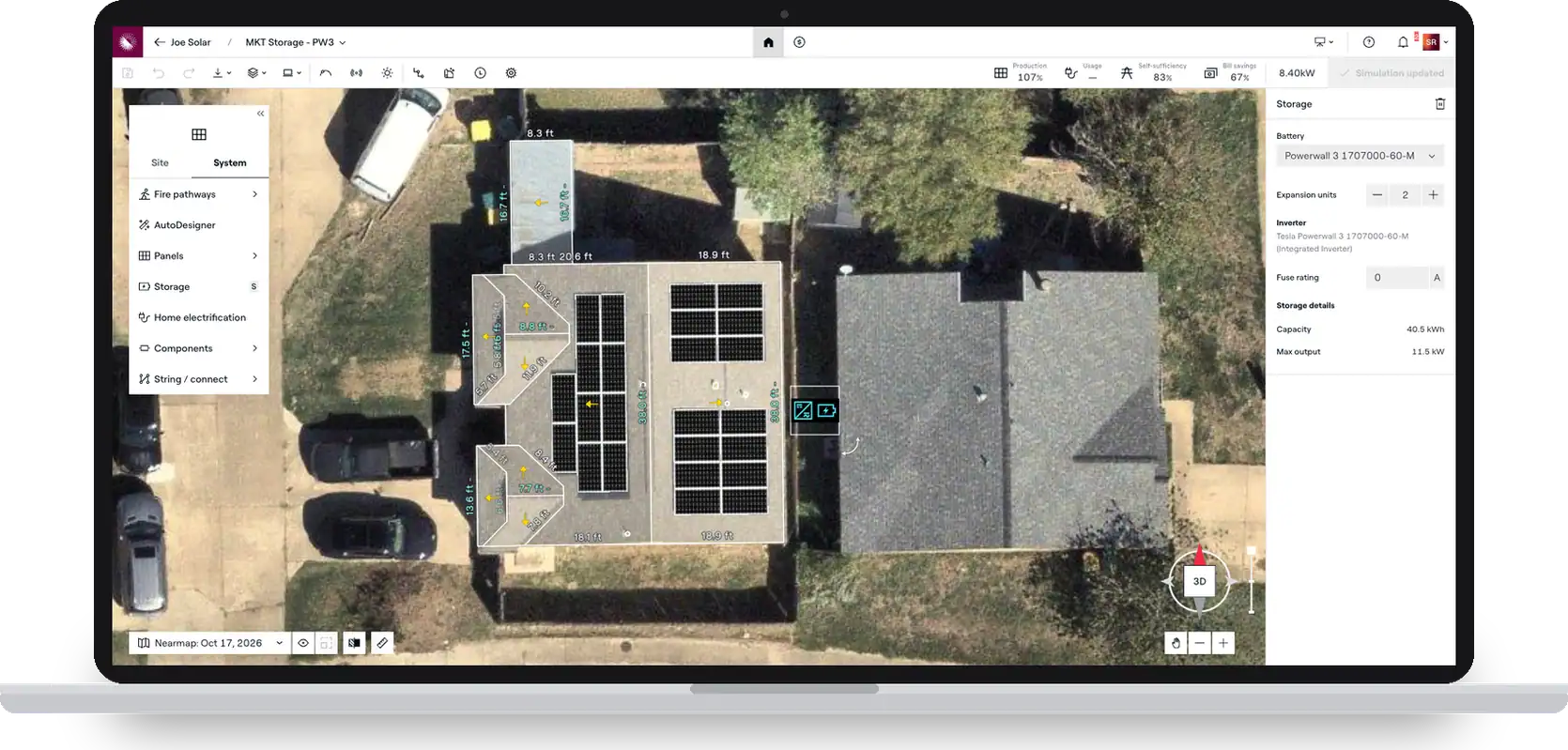
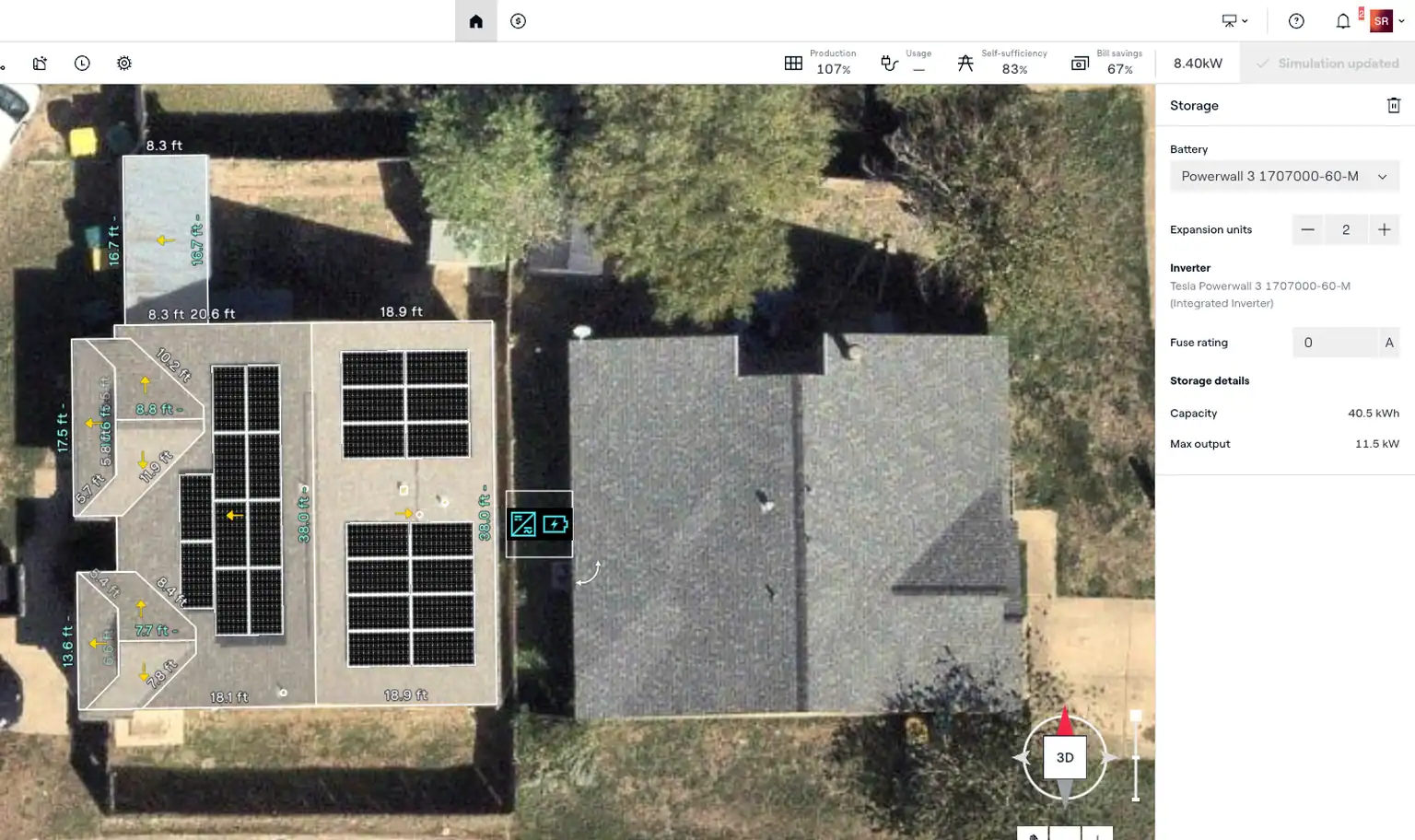
Aurora Design Mode on a laptop with a Powerwall 3 and integrated inverter placed next to the roof panels

Design solar and storage together

Residential battery modeling, built right into the solar design. Reps see performance, bill impact, and price update in real time.

The problem with bolt-on storage Storage shouldn't be an afterthought

Only 3% of solar-engaged homeowners say they aren't interested in battery storage. But when batteries live in a separate form, hybrid inverters get counted twice, bills of materials need workarounds, and what a rep sells drifts from what the crew installs.

One design, sale to install

Add the battery in Sales Mode

A streamlined path to common setups: pick the battery, set quantity or expansion units, and simulate.

See performance, bill impact, and price

Everything updates in real time as the system changes, priced from one component list.

Take it further in Design Mode

Build multi-stack and multi-inverter setups. Or start the battery design here: it shows up in Sales Mode for reps to quote.

Already on Aurora?

Storage is included in your plan

Storage workflows come with your existing Aurora subscription, in Sales Mode and Design Mode, at no extra cost.
Get started Get the guide
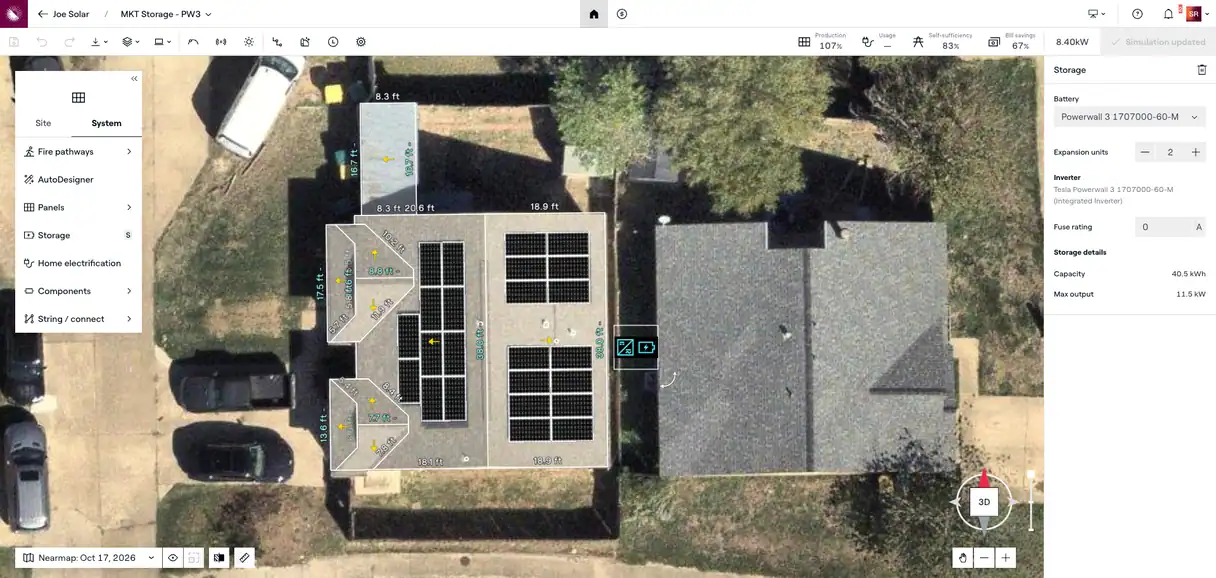
Aurora Design Mode with a Powerwall 3 battery placed in a residential solar design
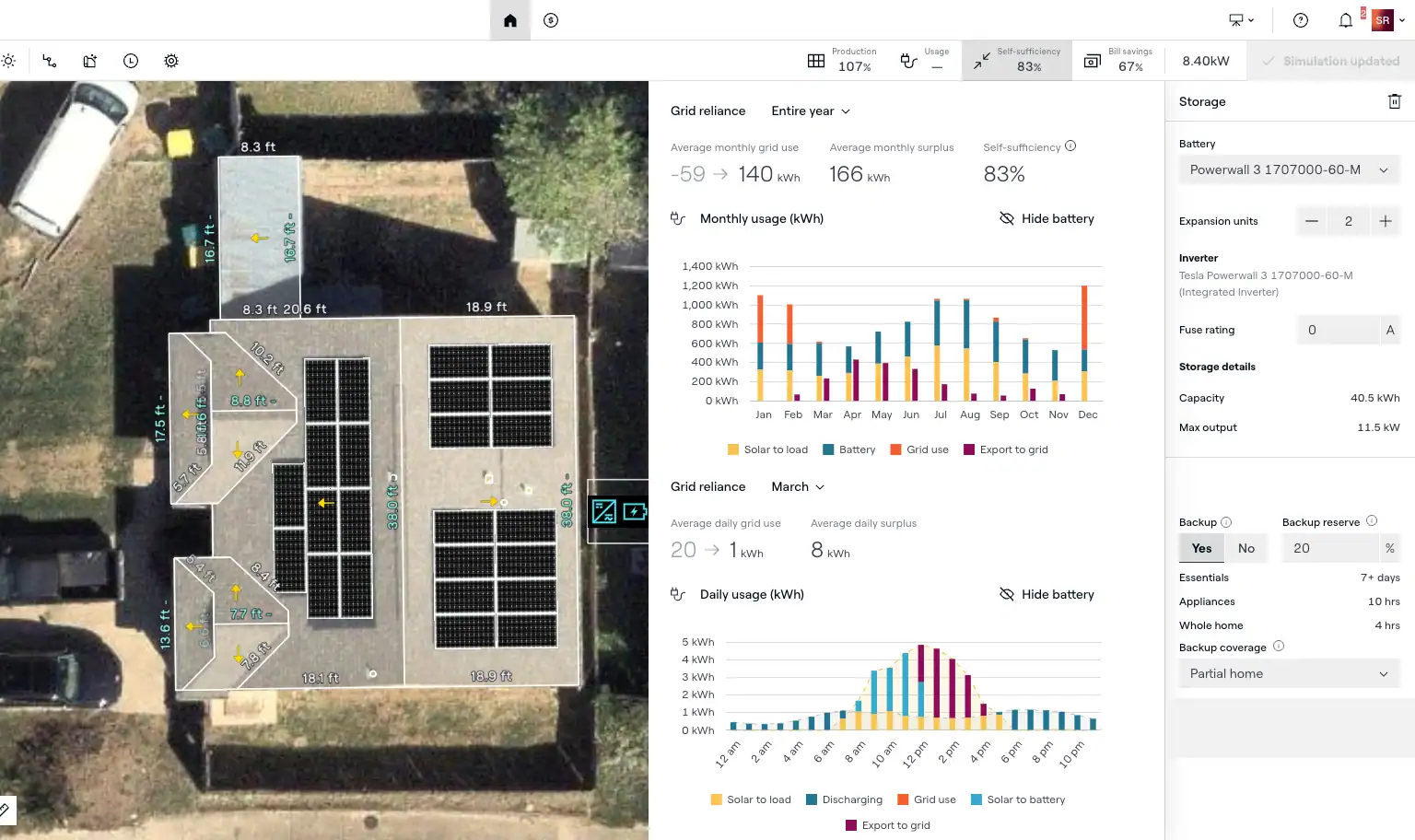
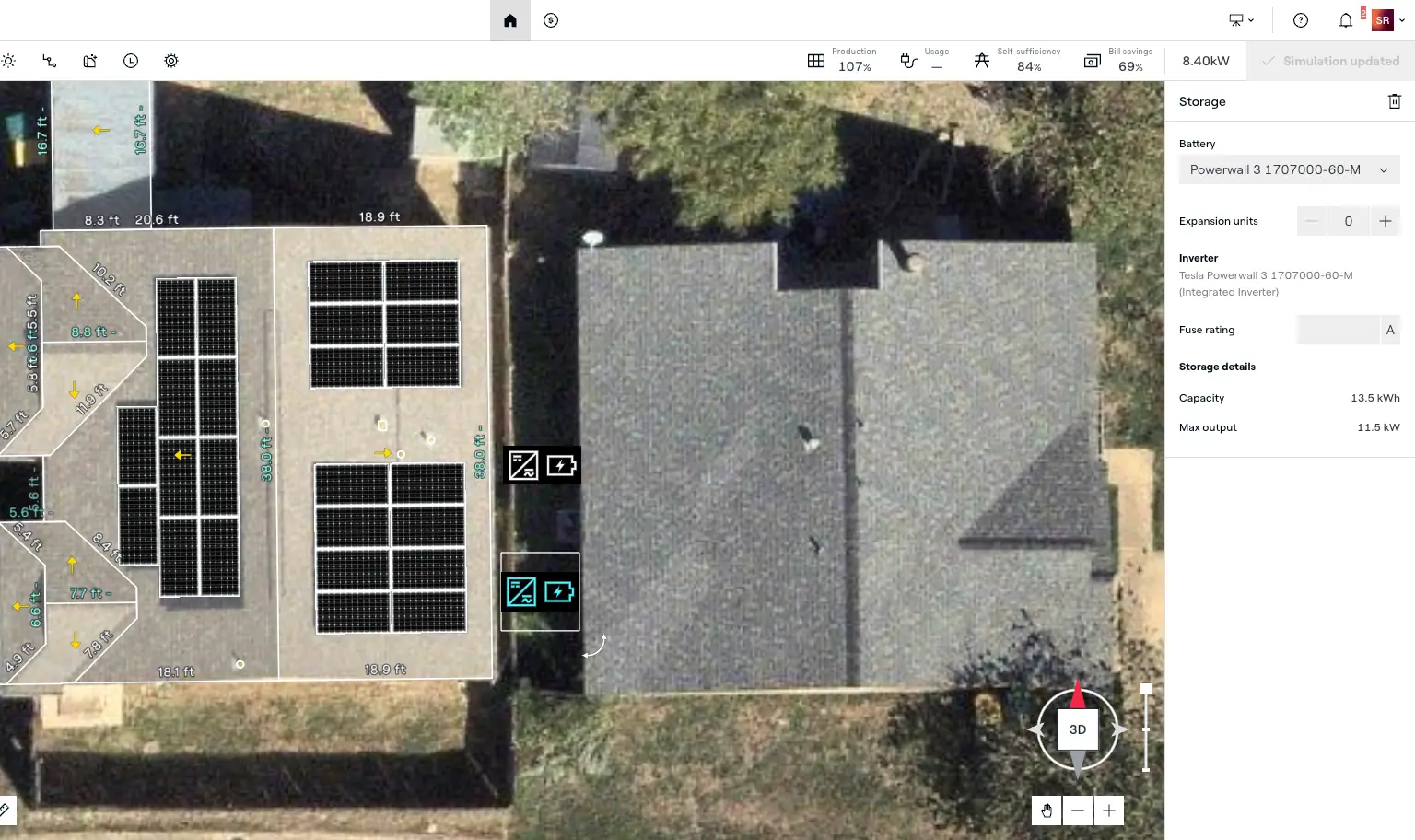
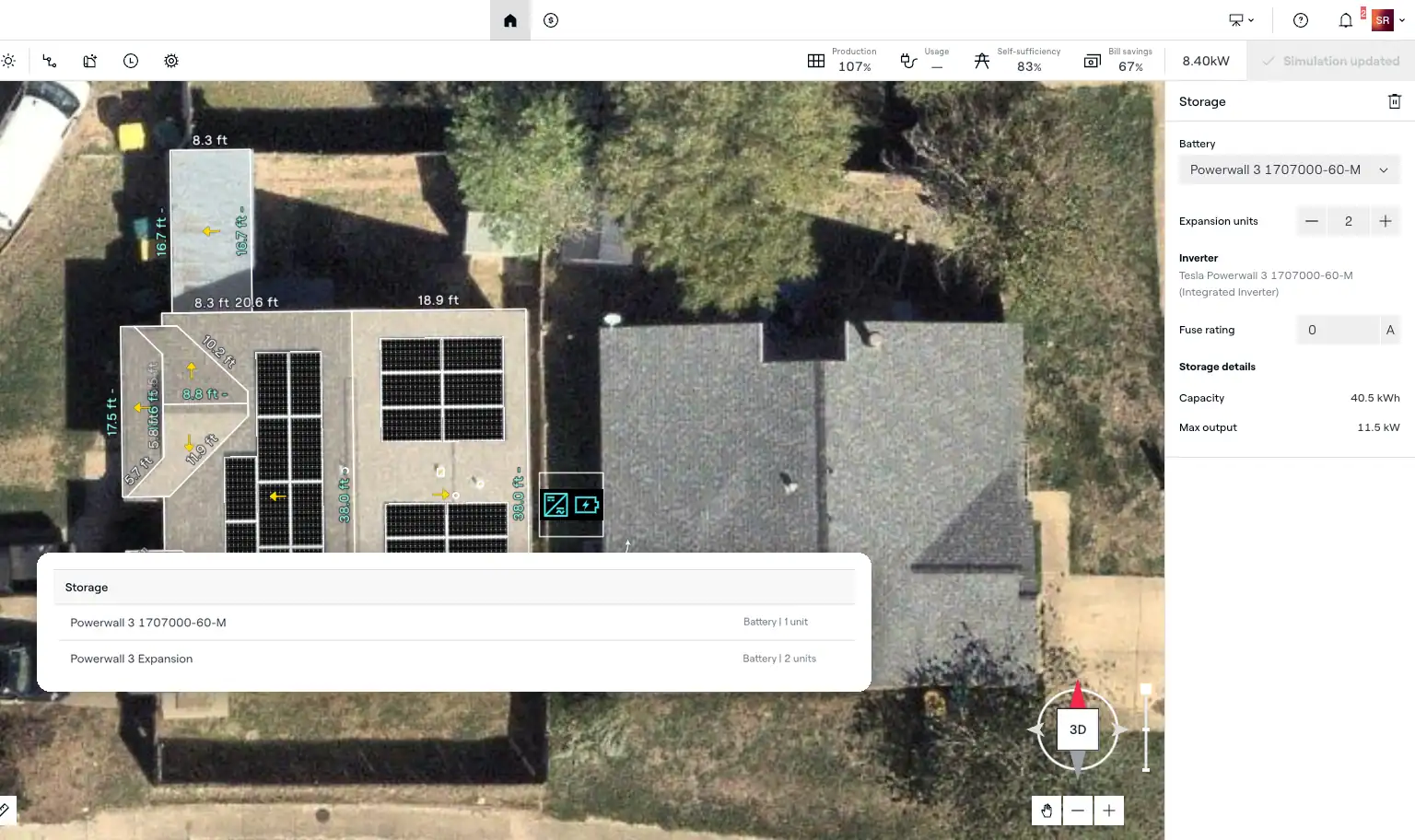
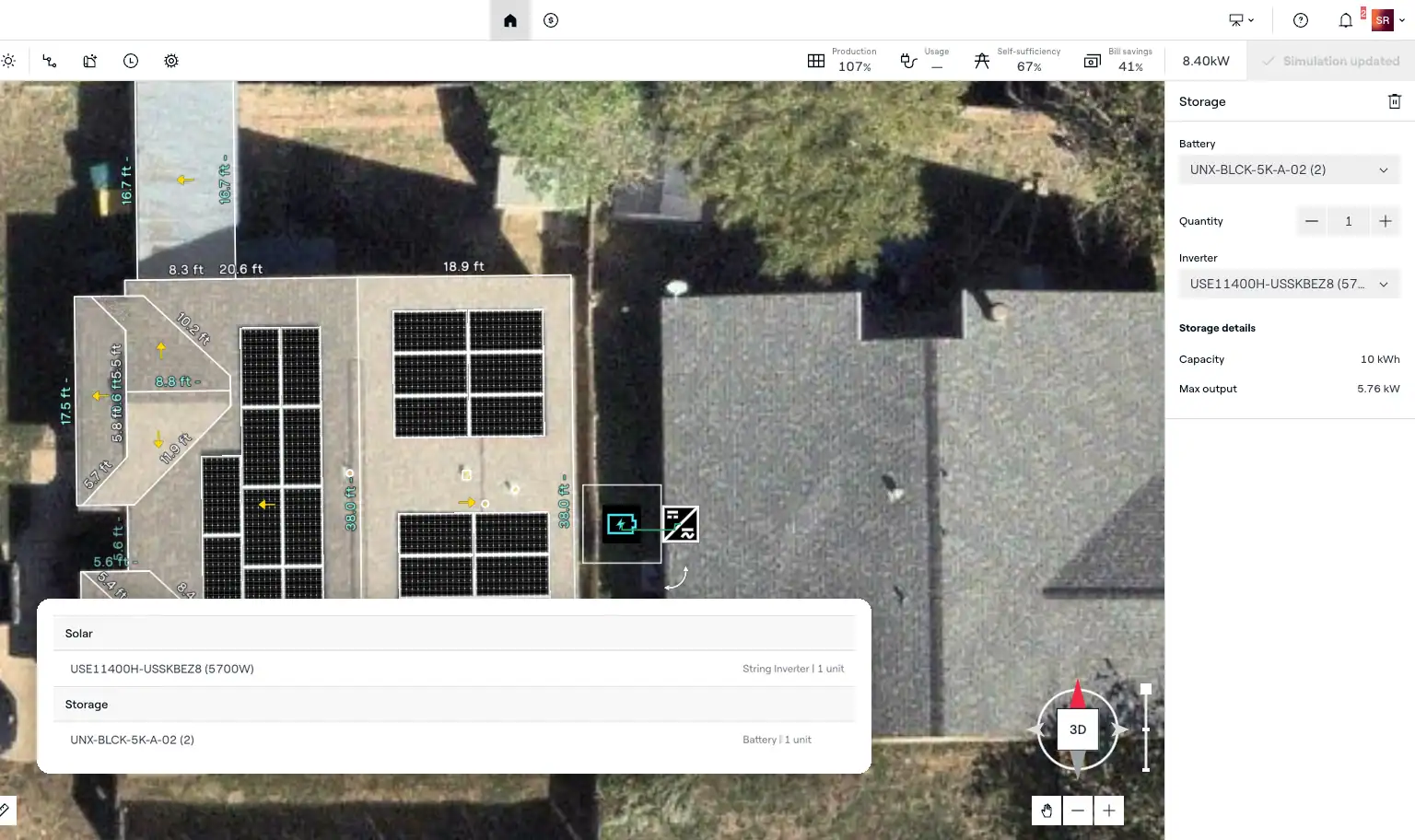
Powerwall 3 and inverter placed beside the solar panels, with the storage panel showing two expansion units Aurora self-sufficiency panel showing 83% self-sufficiency, 67% bill savings, and backup hours by load Two Powerwall 3 battery stacks placed in one Aurora Design Mode design Powerwall 3 expansion units set as their own component, listed separately in the bill of materials SolarEdge hybrid inverter and battery in Aurora, with the bill of materials listing the inverter once

Battery modeling in the design

Place batteries, expansion units, and storage inverters right in the design, alongside the panels.

See self-sufficiency, bill savings, and backup potential update as you change the battery.

Build real-world setups, including multi-stack and multi-inverter systems and battery retrofits, in Design Mode.

Model Powerwall 3 expansion units as their own components, for fewer TPO approved-vendor-list mismatches.

Price storage from one component list and get a bill of materials that counts hybrid inverters once.
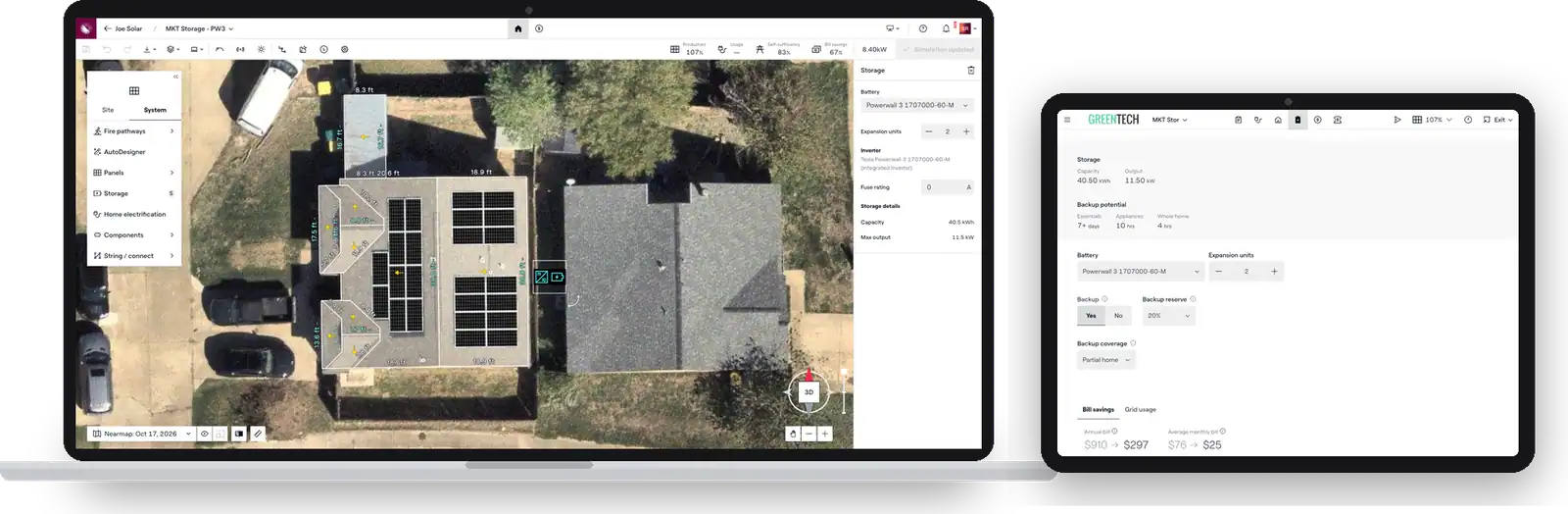
The same storage system in Aurora Design Mode on a laptop and Sales Mode on a tablet

Sales and design, in sync

Storage that installs the way it was sold

Sales Mode and Design Mode share the same storage simulations, components, and system data. Reps can see and quote even complex designs, designers build on the rep's work, and teams make fewer handoffs while the bill of materials stays accurate from sale to install.

Take the tour

From the sale to the install Results installers report

Installers use Aurora to build storage into every proposal and keep sales and design working from the same system. Results from the ROI Playbook.

  • 45% storage attach rate at Michigan Solar Solutions
  • 83% less time on sales-to-design handoffs at Freedom Forever

Frequently asked questions

chevron Is there an extra cost for storage?
  • No, storage workflows are included in existing Aurora subscriptions, in Sales Mode and Design Mode
chevron Can reps and designers work on the same storage design?
  • Yes, Sales Mode and Design Mode share the same storage design, simulations, and components
  • Complex setups are edited in Design Mode, and reps can still view and quote them in Sales Mode
chevron What does Aurora's battery modeling show?
  • Aurora's residential battery modeling shows self-sufficiency, bill savings, and backup potential, updated as you change the battery
chevron Can I model multiple batteries or expansion units?
  • Yes, build multi-stack and multi-inverter systems in Design Mode
  • Powerwall 3 expansion units are modeled as their own components
  • Simulation results for designs that mix battery types are approximate
chevron Can I design battery retrofits for homes with existing solar?
  • Yes, design battery retrofits in Design Mode
  • Start a new design to use the latest storage workflow
  • If the original system wasn't designed in Aurora, recreate it in Design Mode, then add the battery
chevron Does storage carry into the bill of materials?
  • Yes, storage components appear in the bill of materials, with hybrid inverters counted once
chevron Does it work with my TPO financing?
  • Standard storage designs work with Aurora's TPO financing integrations
  • For complex battery-inverter setups, check with your Aurora team
chevron What is residential battery modeling?
  • Residential battery modeling simulates how a home battery performs alongside solar, including self-sufficiency, bill savings, and backup potential
  • In Aurora, the battery is part of the solar design, so the simulation, price, and bill of materials stay in sync
chevron What software do solar installers use to design solar and battery storage?
  • More than 7,000 solar organizations use Aurora, which designs residential solar and storage together, from the sales proposal to the install-ready design
  • For commercial solar-plus-storage projects, Aurora offers HelioScope
chevron How do I add a battery to a solar proposal in Aurora?
  • In Sales Mode, add a battery, set the quantity or expansion units, and run the simulation to see performance, bill impact, and price
  • For multi-stack or multi-inverter setups, build the design in Design Mode; it shows up in Sales Mode to quote
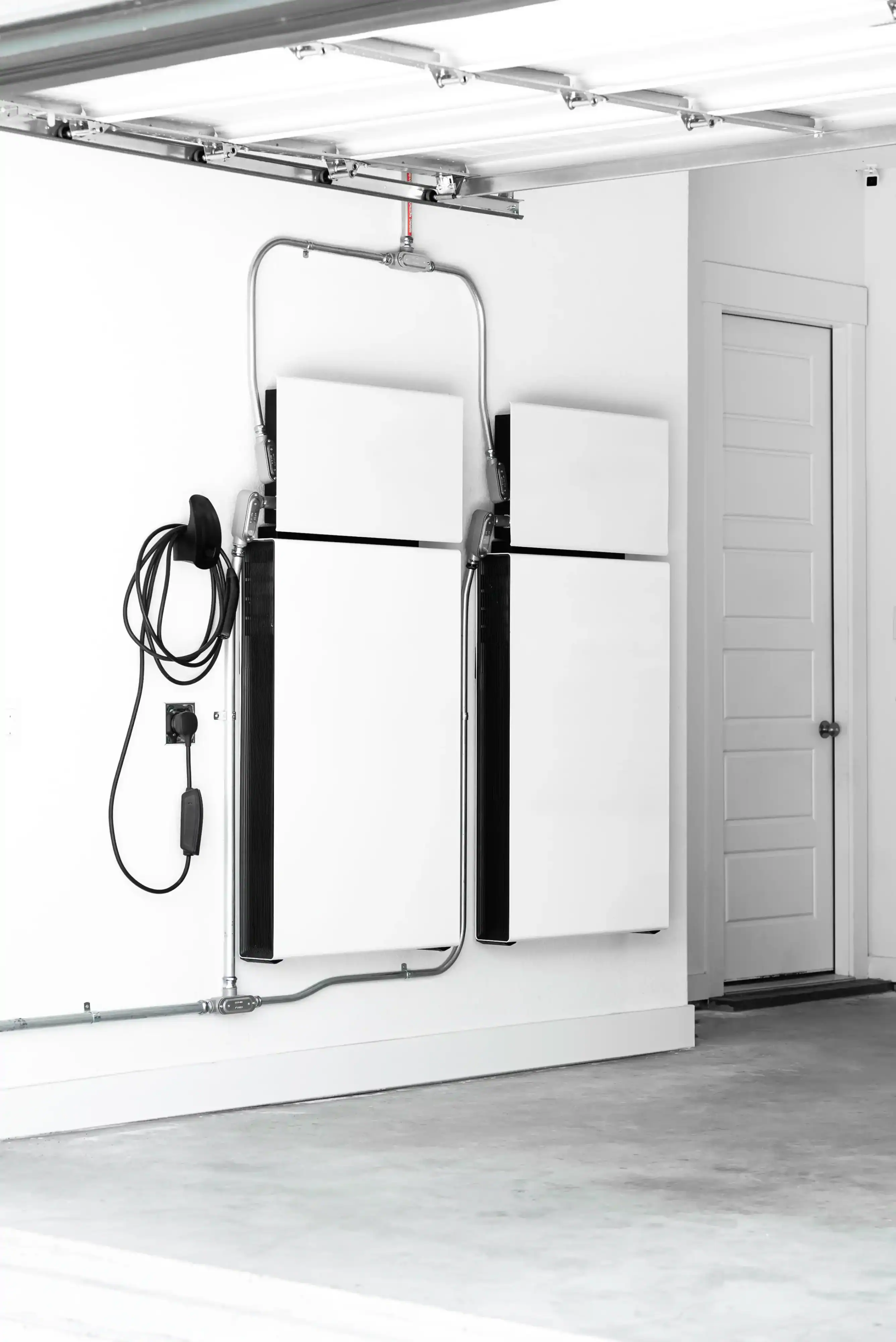
Home battery storage units and an EV charger mounted on a white garage wall

See storage in Aurora in action

Not ready to talk? Take a storage tour.

Take The Tour